Save. Retry.
Get that win.
Save states let you return to a moment. Keep separate slots and give that tricky section another go.
 RETROGAMES / EMULATORGet the app
 The boss you almost beat. The world you never finished. Your next playthrough starts with Retro Games: Emulator GBA GBC.
Bring your own game backups. Keep the memories going.
Contains ads · In-app purchases · Game files not included
Keep the challenge.
Make the rest fit you.
Save states let you return to a moment. Keep separate slots and give that tricky section another go.
Adjust touch controls or connect a compatible Bluetooth or USB gamepad.
Fast-forward, slow motion, and turbo controls help you choose your rhythm.
Scan ROM folders and organize your own compatible game files in one library.
Use supported cheats, including compatible CodeBreaker and GameShark codes.
Choose portrait or landscape, scaling, and shader options.
There is a special kind of joy in coming back to a game you thought you had forgotten.
A familiar sound. An old route through a level. That instinct to press the right button at exactly the right time. Put your collection within reach and make space for another adventure.
Supported formats depend on the emulated system. Supply your own lawful backups; no ROMs or ISOs are included.
Build your first library ↗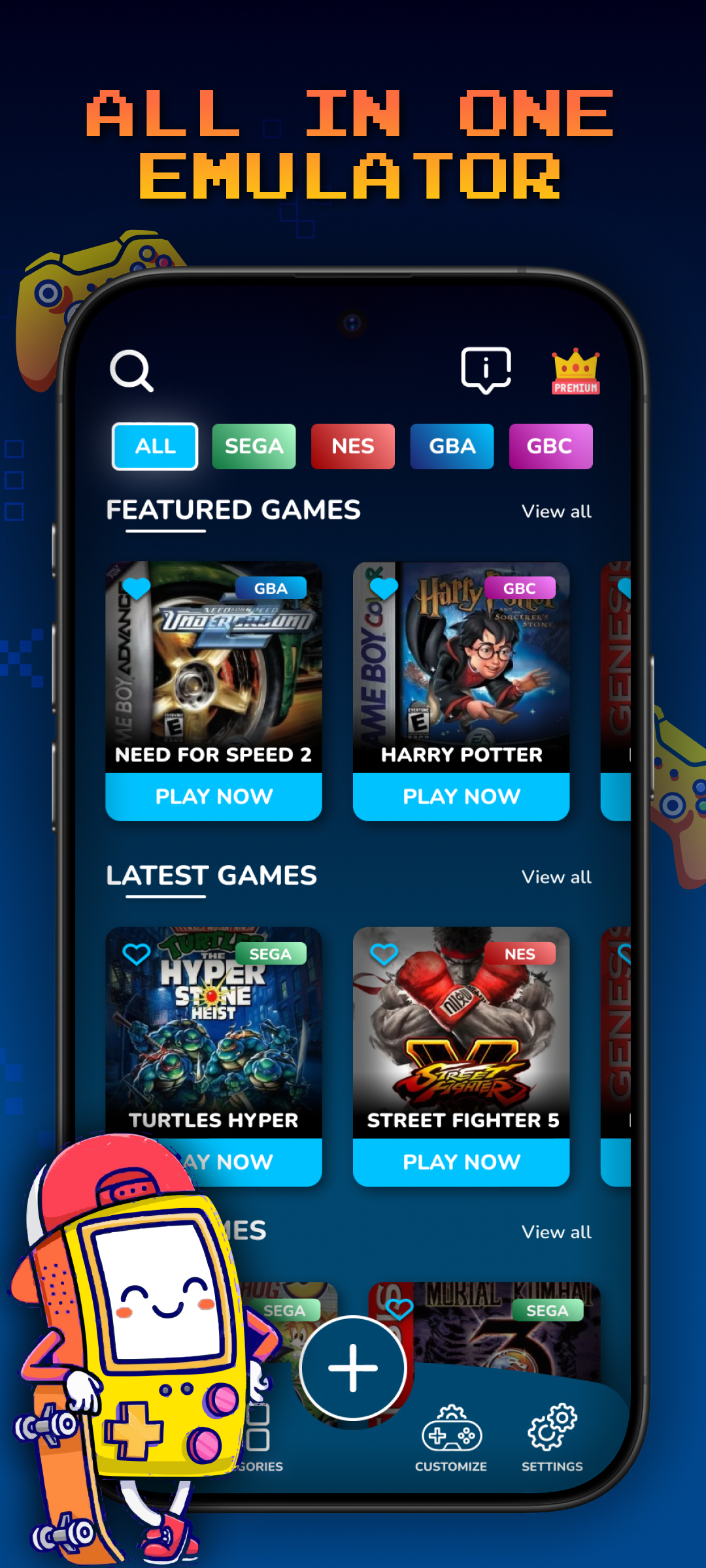
A little preparation.
A whole lot to revisit.
Download the app from Google Play onto your Android phone or tablet.
Open Google Play ↗Place your lawful ROM or ISO files in a folder, then scan it in the app.
Set your controls and start playing. Imported games can be played offline.
No. The emulator does not include ROM or ISO files. You provide your own game backups and are responsible for using them lawfully.
Yes, the app lists Bluetooth and USB controller support. Compatibility varies by controller, game, and device.
You can download it from Google Play. The app contains advertising and offers in-app purchases; check the listing and in-app offers for current pricing and terms.
Email admin@gbaretrogames.com with your device model, app version, and a description of the issue.
One more adventure. One more personal best.
One more reason to love the games you grew up with.
Android · Contains ads · In-app purchases